REZOL - Screen Manager
A downloadable asset pack for Windows and Android
Documentation | Forum Thread | DEMO is now available below!
✅ The most complete, powerful and efficient screen manager for games that handles everything related to resolution and displaying your game on the screen!
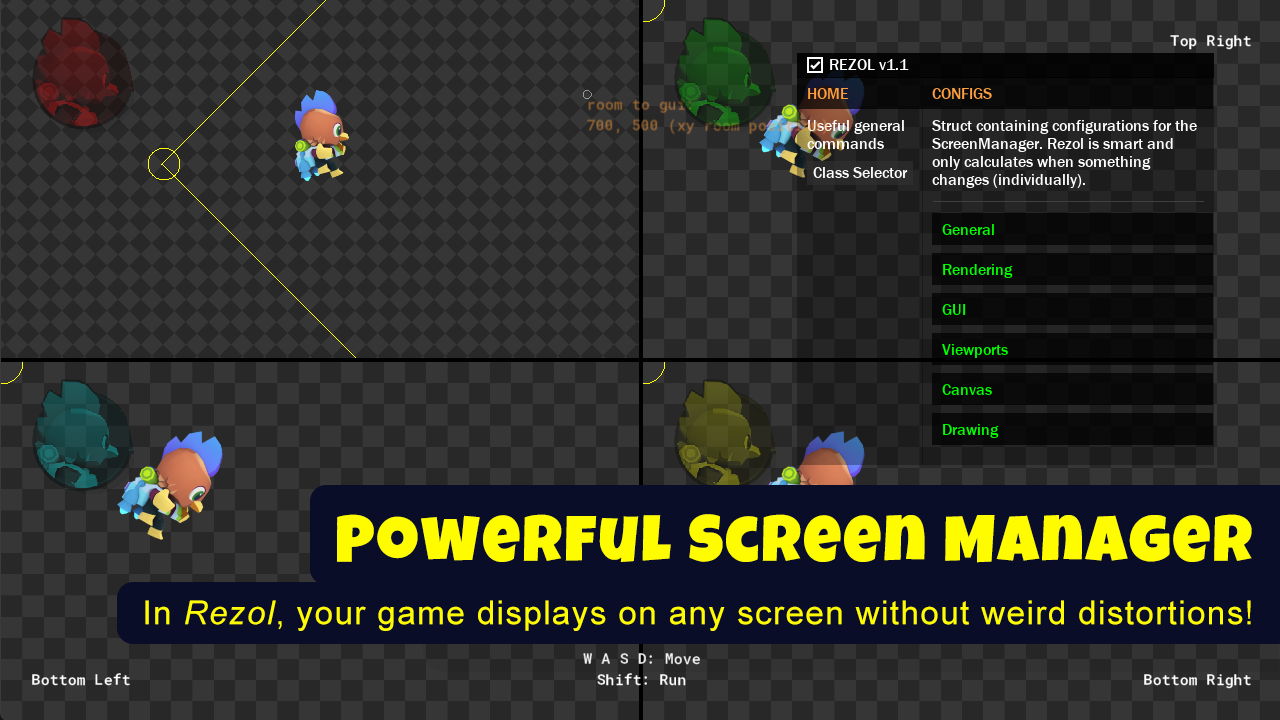
❤️ Split-screen, pixel-perfect camera, high resolution games, scaling of GUI, viewport surfaces, drawing, aspect ratio handling, window, room <> gui, dynamic render resolution, frame skip, 2D, 3D, HDR and more!
😍 It is useful for ALL kind of games: Platformer, RPG/Roguelike, Match 3, Isometric, Racing, TD, Puzzle, Shooter, Visual Novel, Co-op, Point and Click (Farm, Idle), Horror, etc.
Core Features:
- Easy to setup and use, you just need to create an object with basic setup;
- It comes pre-configured for ease of use;
- Pure GML + Extra extension for additional per-platform features;
- Highly customizable and modular, you have control over everything;
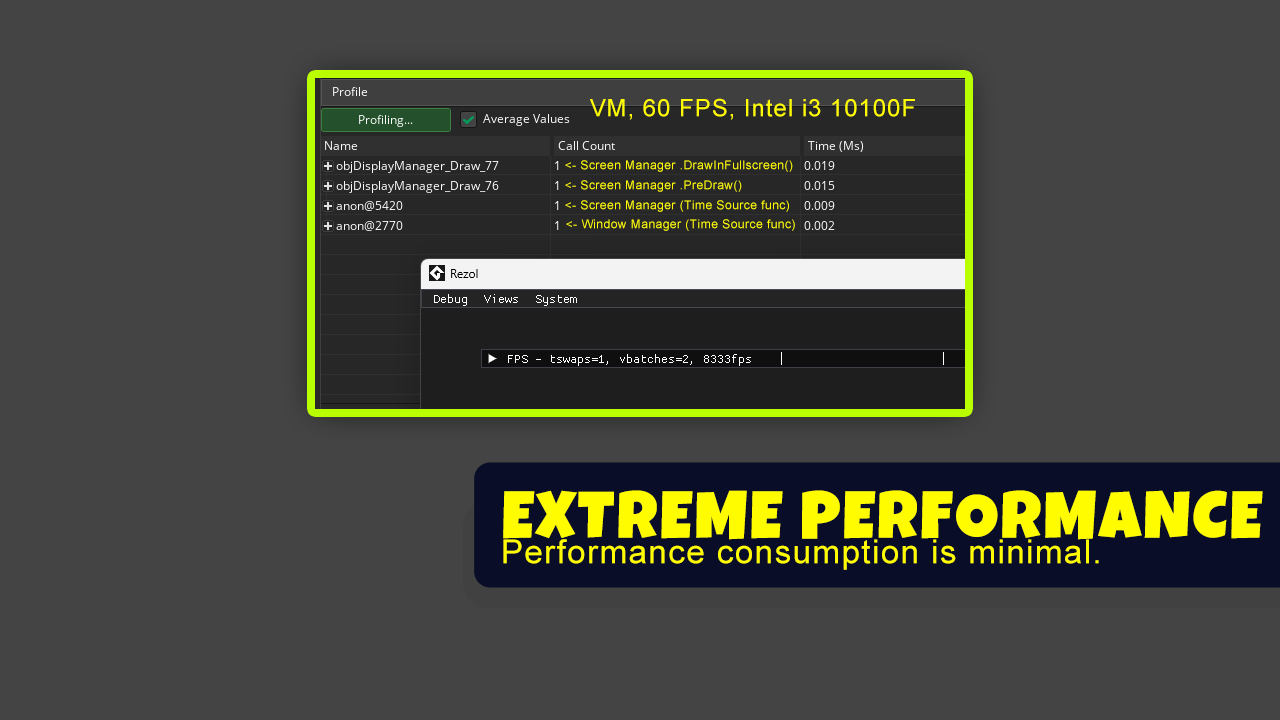
- Extremely high performance (~0.03ms frame time);
- Tested with 60 FPS - total 16.6ms, VM.
- Works with existing GameMaker code;
- Includes an optional debugging interface to facilitate testing;
- Consistent API and features;
- Genuine and compassionate support, without judgment, and there is a commitment to maintaining it through free updates;
Resolution & Scaling:
- Any target resolution support;
- Reference sizes for GUI, Rendering and Window;
- Includes a nice preset list of the most common resolutions;
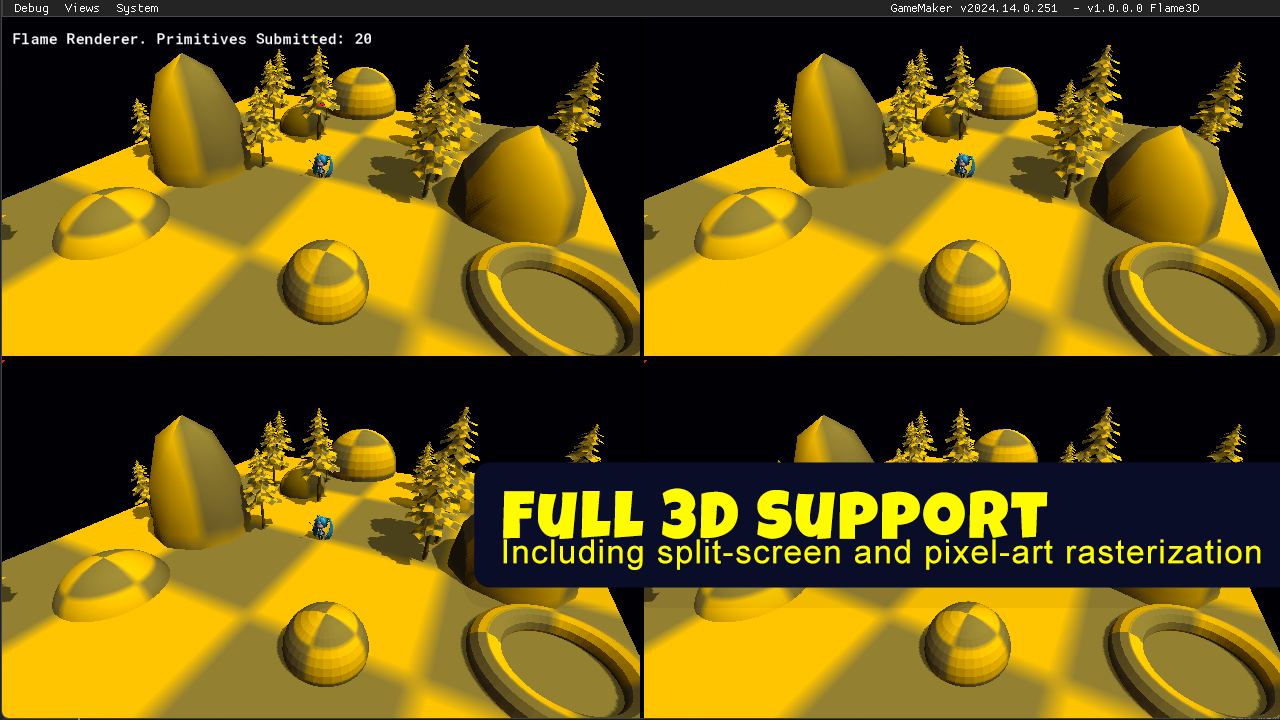
- 2D, 2.5D and 3D games support;
- High resolution games support;
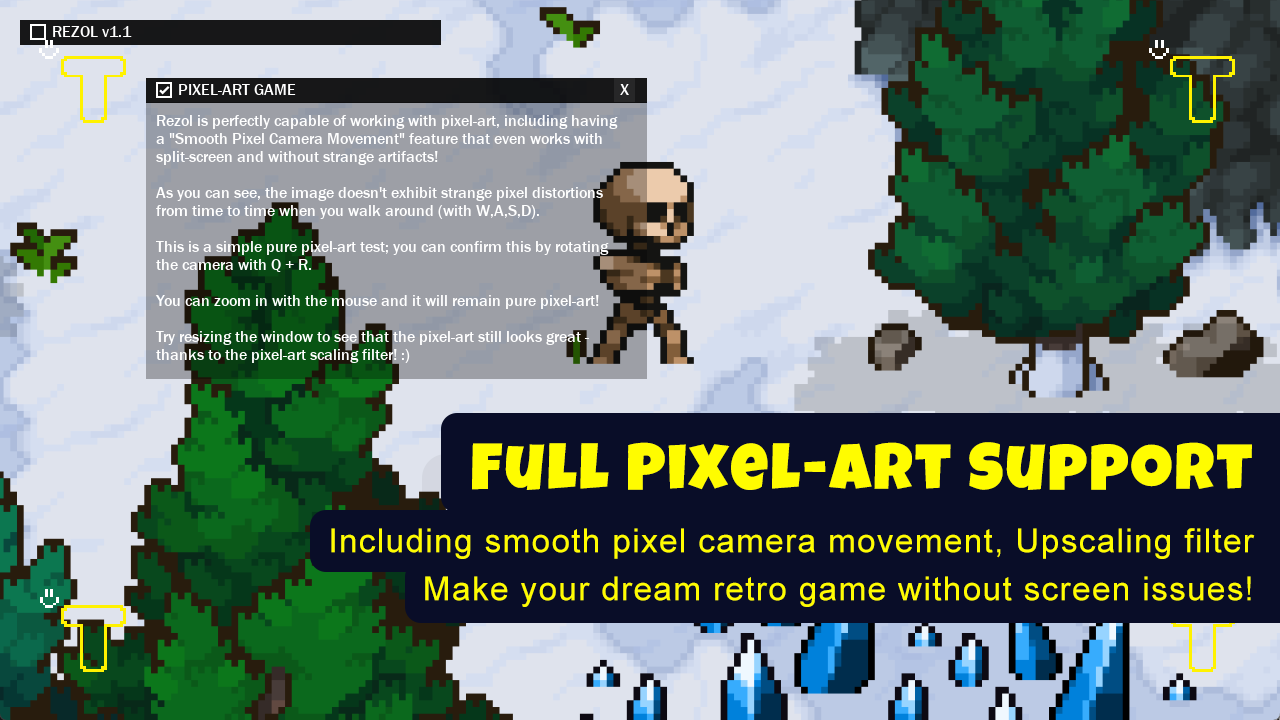
- Pixel-art games support;
- Pixel-perfect + Smooth pixel camera movement;
- No distortions! also supports pixel zoom;
- Pixel-perfect + Smooth pixel camera movement;
- Aspect ratio control (black bars optional);
- Integer scaling;
- Ultra-wide display support;
Split-Screen:
- The only one that handles split-screen with excellence;
- Dedicated full built-in split-screen (1 to 8 players);
- Includes presets to make it easy; You can also define custom viewports;
- Includes features to make split-screen UI design easier;
Camera Scaler:
- Per-view camera scaling ;
- Supports your own camera with Rezol (also supports struct cameras);
- More useful for 2D cameras, but also works with 3D cameras;
GUI & UI:
- Advanced scaling calculations for all situations;
- DPI-aware UI scaling;
- Pixel-perfect UI mode;
- Safe area support;
- Get oversize margins;
- Compatible with GameMaker's UI layers & UI libraries;
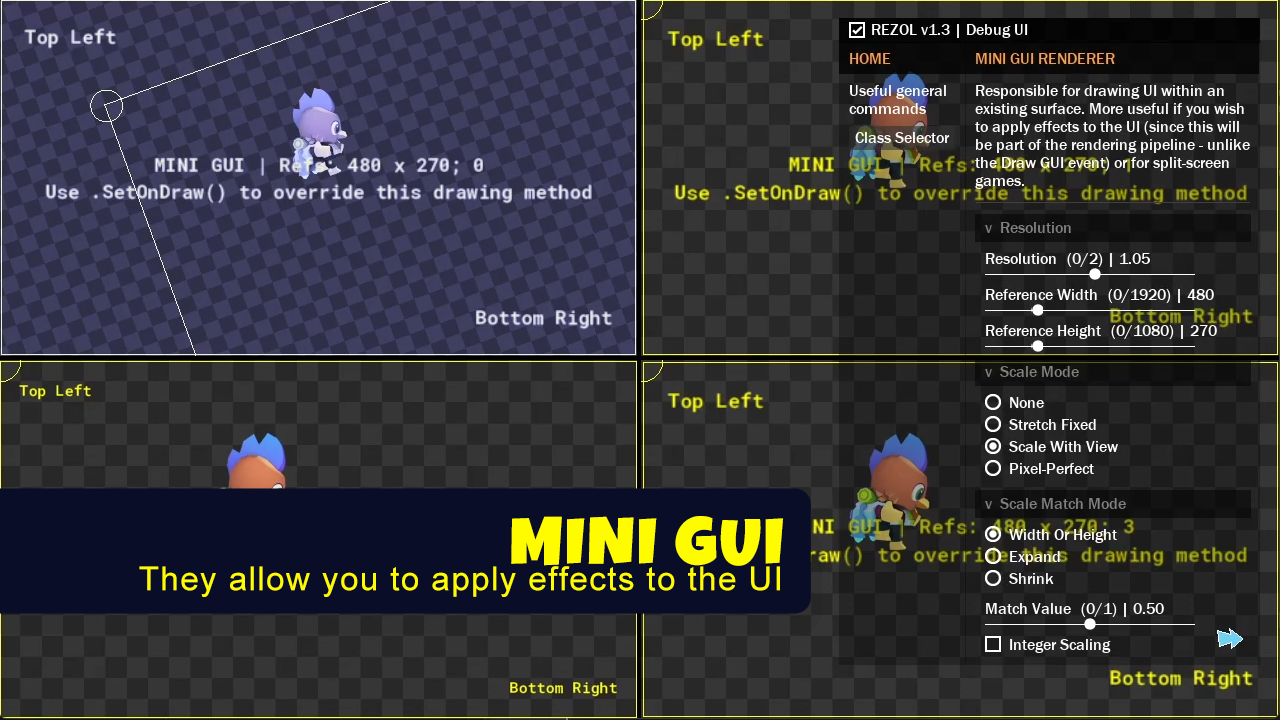
- Mini GUI (Exclusive feature!);
- Useful if you wish to apply post-processing effects to the UI;
- Doesn't use surfaces and supports per-viewport GUIs!
Advanced Rendering:
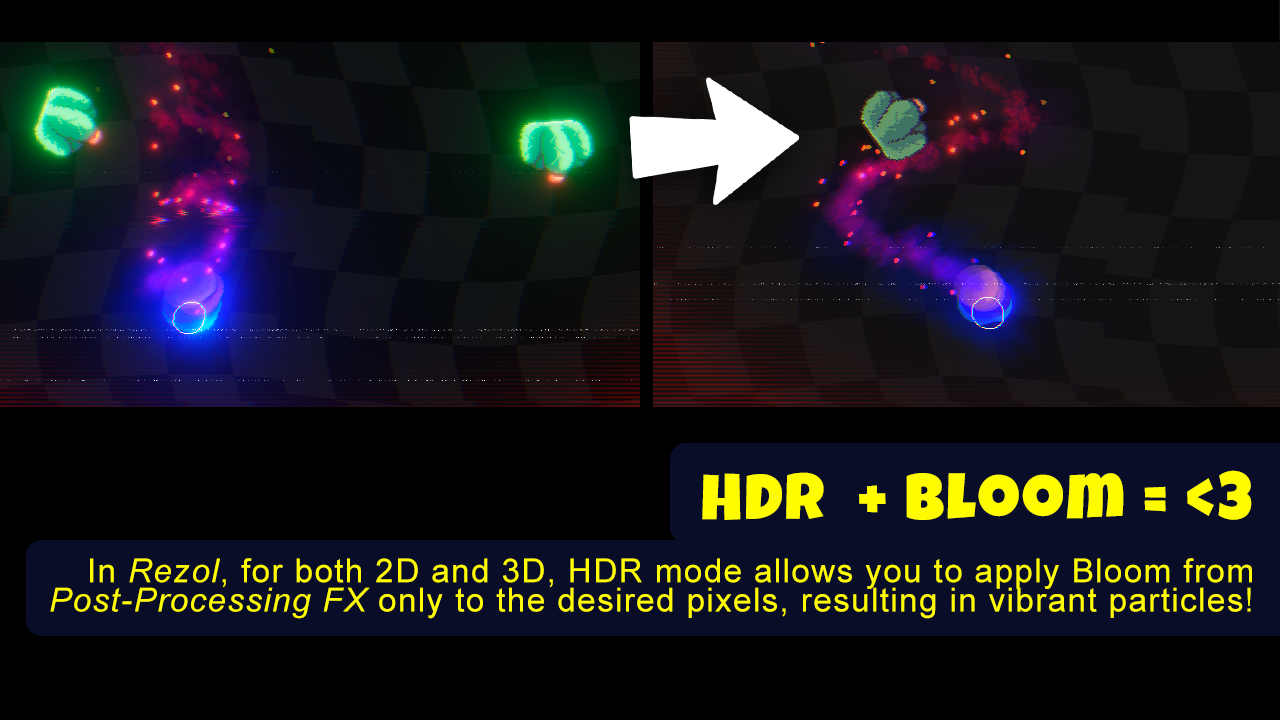
- HDR "application_surface";
- This allows you to make specific pixels glow with Bloom easily (in both 2D and 3D), without the need of an extra emission pass;
- This allows you to make specific pixels glow with Bloom easily (in both 2D and 3D), without the need of an extra emission pass;
- Frame Skip;
- Set how many frames to skip, which allows you to optimize the game in certain conditions;
- Built-in scaling filters;
- Pixel-art upscaling filters (Casey Muratori and t3ssel8r);
- MSAA (antialiasing) support;
- vSync support;
- Dynamic render resolution (Exclusive Feature!);
- Automatically adjusts rendering resolution depending on your game's FPS, improving game performance;
- Detects FPS spikes and ignores them, maintaining a smooth resolution transition;
- Automatically adjusts rendering resolution depending on your game's FPS, improving game performance;
- Reduces GPU usage when minimizing the game;
- 🌱 This contributes to the environment, with less energy consumption.
- 🌱 This contributes to the environment, with less energy consumption.
- Limits render resolution to the maximum that consoles allow, so as not to lose performance by accident;
Coordinates Handling:
- World to Screen > Screen to World convertion;
- Works in both 2D and 3D, with camera rotation, zoom, scale, etc. It's possible to use GUI and Window coordinates.
- This is useful for drawing HP of players in the Room in the GUI;
- Works in both 2D and 3D, with camera rotation, zoom, scale, etc. It's possible to use GUI and Window coordinates.
- Multi-touch works fine;
- Get GUI, Viewport, Canvas-space mouse position;
- Screen ray casting function;
- Allows you to project a vector with position and direction at the mouse position. Useful for ray casting in 3D (grabbing objects with the mouse, interaction, etc);
Window / Display:
- Multi-display (monitor) support;
- Everything works on the other displays as if it were the main one, without having to return to the main one every time you change resolution or toggle fullscreen;
- Supports displays of different resolutions and orientation;
- Everything works on the other displays as if it were the main one, without having to return to the main one every time you change resolution or toggle fullscreen;
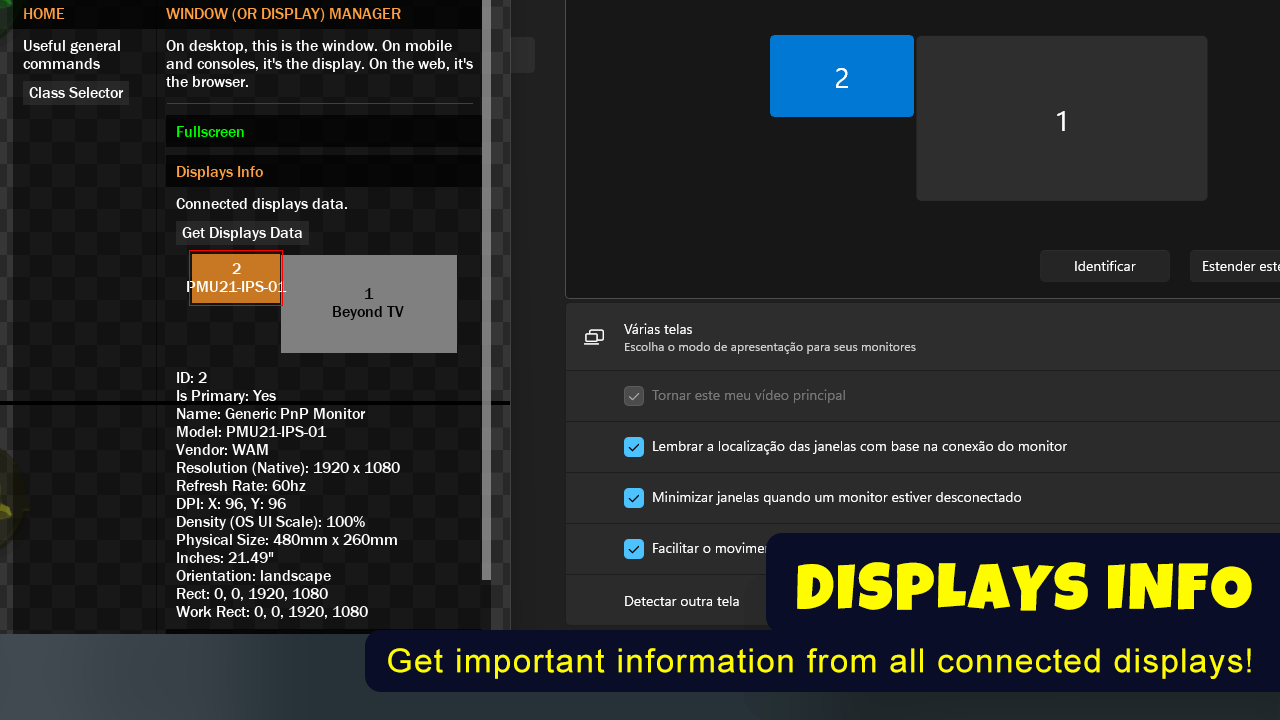
- Get Monitors info;
- Name, Is Primary, Id, Model, Vendor, Rect, Work Rect, Native Resolution, Orientation, DPI, OS Ui Scale (Density), Physical Size, Refresh Rate, Inches and Rects Bounds.
- Many window modes;
- Borderless, fullscreen, extended fullscreen, windowed and maximized;
- Automatic active display detection;
- Keep aspect ratio + centered;
- Extra window functions!
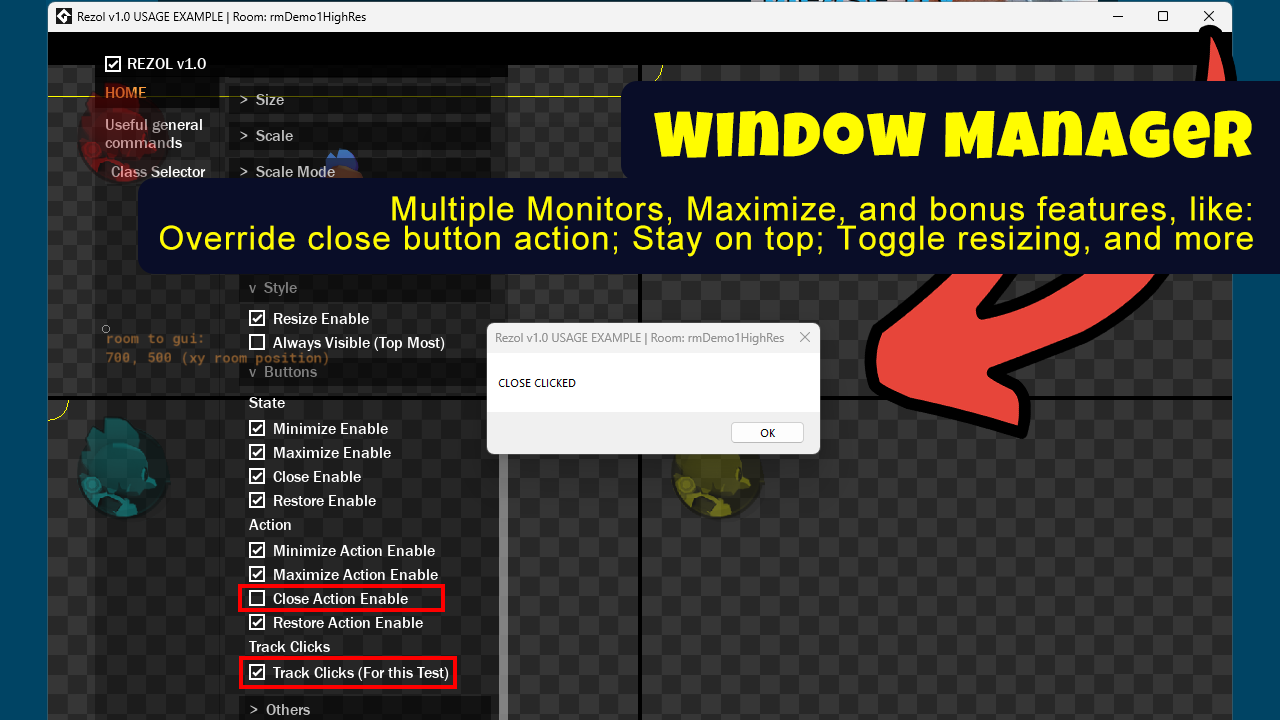
- Toggle resizing;
- Set top most (keep window on top of others);
- Set active;
- Buttons;
- Check if a button is pressed;
- Toggle a button to prevent from being clicked;
- Toggle a button action;
- This is useful for displaying a message instead of closing the application instantly;
- Toggle resizing;
- Callback function when minimizing, maximizing, focusing and unfocusing;
- Useful for pausing the game, audio, rendering, or playing cool sounds!
Virtual Display
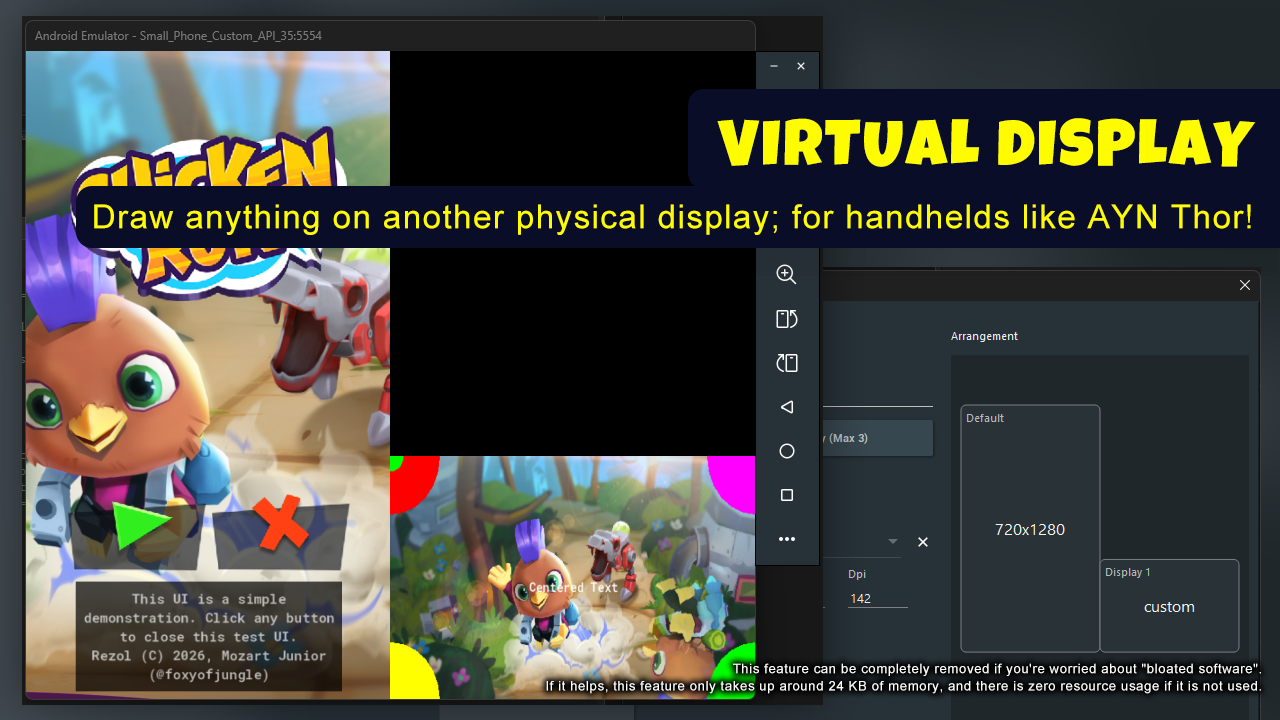
- Draw anything on another display while the game runs on the main display, just like a Nintendo DS!
- This feature was designed to work on consoles like the AYN Thor, which supports Android, but you can use it on any device that has two or more screens.
- Touch input support;
- Exclusive feature!
Additional features:
Mobile:
- Supports split screen apps;
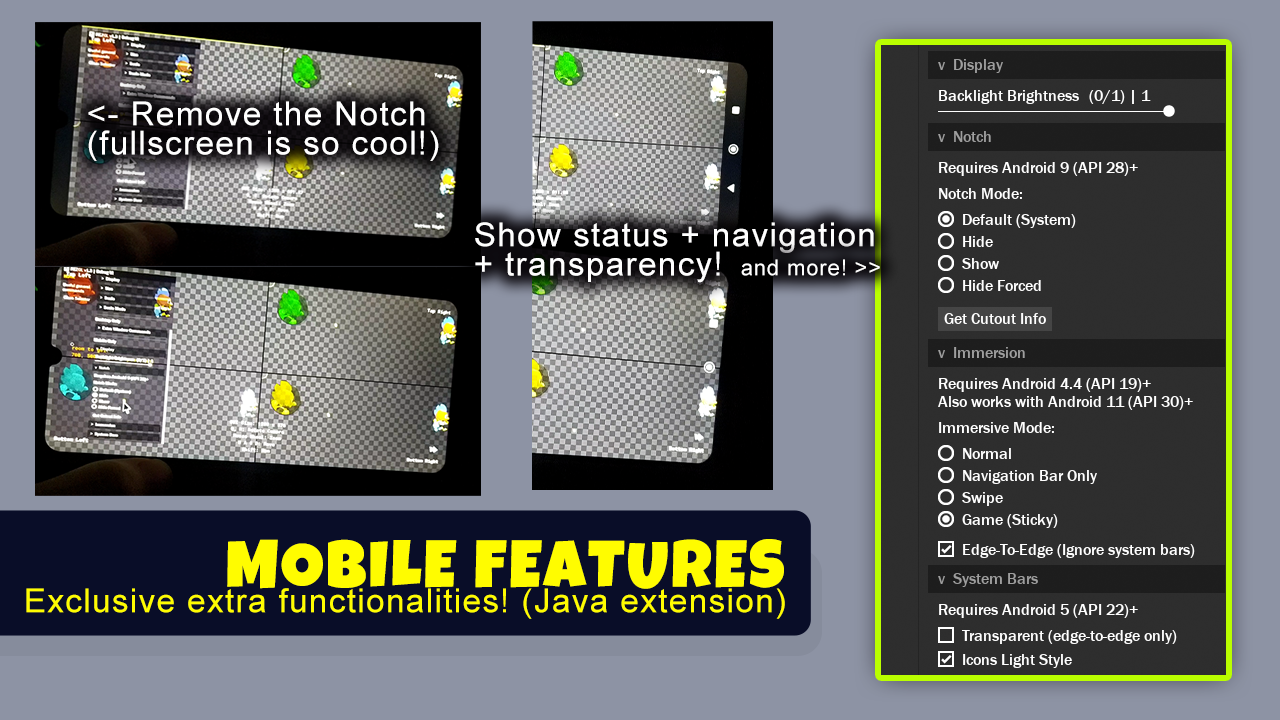
- Backlight brightness control (Exclusive Feature!);
- Notch hide/show;
- Immersion modes: show/hide status and navigation bars;
- Edge-to-Edge;
- Transparent system and navigation bars;
- Dark/Light system and navigation icons;
- (Some features above only works on Android at the moment);
Web:
- Scrollbars toggle;
- Fullscreen support;
- Fixes the freezing touch issue on mobile;
- Remove GX's default pause menu;
Cross-plaform:
- Desktop (Windows, Mac, Linux);
- Mobile (Android, iOS);
- Web (HTML5, GX.Games/WASM);
- TVs (Android, tvOS);
- Consoles (Xbox, Playstation 5 & 4, Nintendo Switch 1 & 2, Steam Deck);
Documentation included. Technical support available! Discord server.
---------------------------------------------------------------------------------------
DEMOS:
By purchasing, you agree that you may not resell or redistribute the source code in any way (ex: GitHub and Marketplace). The compiled product can be used commercially in any game or software. Use for any A.I. training is NOT allowed. This project was made entirely by a human.
Chicken image is from GameMaker's Endless Runner Template, based on Apache 2.0.
Do you think your time is valuable? So don't waste time dealing with the headache of adjusting resolutions, every time. Do it all with this library, get REZOL kindly now.
Purchase
In order to download this asset pack you must purchase it at or above the minimum price of $35 USD. You will get access to the following files:
Download demo
Development log
- Rezol v1.663 days ago
- Rezol v1.591 days ago
- Rezol v1.4Jan 14, 2026
- Rezol v1.3.1Dec 14, 2025
- Rezol v1.3Dec 10, 2025
- Rezol v1.2Nov 22, 2025
- Rezol v1.1Nov 18, 2025
- Rezol v1.0 Launched!Nov 16, 2025
Comments
Log in with itch.io to leave a comment.
Looks great, but way too expensive...
Thanks for the feedback :D
I completely understand that the price may seem high, depending on each person's needs and budget. It is priced based on the amount of content, the problems that it solves, the technical quality, the long-term support (you also receive free updates), and the unique features you won't find elsewhere.
That being said, I really appreciate you taking the time to check it out, and I'm always open to suggestions on how to make it even better ^^
Make it cheaper that would make it better ;-)
Nice try! 😂 I offer discounts a few times a year, which should help?
Let me know when that is, I especially like your sketch and shader stuff. I'll buy then...(to broke nowadays)
Follow me to receive notifications via email
This is damn impressive. Great work as usual, Foxy!
Jon! I also love your videos and the things you do! I'm flattered by this comment, thank you ^^ The next Rezol update will make it even better
It's like Christmas every time Foxy makes a new library 🚀
Hehe thank you! 🎄😁
Great! But I have a question. I already have the in-game camera working fine, and I want to use only MSAA anti-aliasing. How can I enable only that?
Hello! Thanks!
You configure this in the Screen Manager configs struct, using the function .SetMSAALevel(REZ_RENDER_MSAA.X8)
Thx!
SIMPLESMENTE ABSURDO!!!
Thank you, Johto! <3
:O
:D